




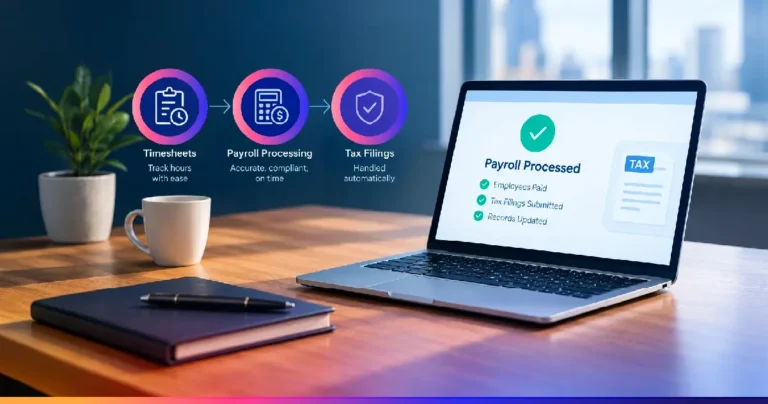
Automated payroll processing is the use of software to calculate wages, withhold taxes, and file payroll tax returns without manual data entry at each step. For payroll firms managing dozens or hundreds of client accounts, it’s the difference between spending hours reconciling timesheets each pay run and letting the system handle the repetitive work while your team reviews exceptions.
If you’re running a payroll practice in the US, the appeal isn’t abstract. It’s capacity. It’s fewer late-night corrections before a Friday deadline. It’s the ability to take on new clients without adding headcount at the same rate.
What Is Automated Payroll Processing?
Automated payroll processing replaces manual timesheet entry, tax calculation, and filing with connected software that handles each stage in sequence. Instead of a staff member pulling hours from one system, keying them into a spreadsheet, and cross-checking tax tables by hand, the software pulls time data directly, applies current federal and state withholding rules, and generates the filings your clients need, including W-2s, 1099s, and quarterly deposits.
For CPA firms and payroll bureaus, this matters because payroll work scales linearly by default. More clients means more manual touchpoints, more chances for a keying error, and more risk exposure if an IRS deadline slips. With automation, growth in client volume no longer means growth in manual errors and deadline pressure.
How Does Automated Payroll Processing Work?
The process generally moves through four stages:
- Time and attendance capture: Employee hours flow in from time-tracking software, punch clocks, or self-service portals, rather than being typed in manually from paper sheets.
- Gross-to-net calculation: The system applies pay rates, overtime rules, and deductions automatically, then calculates federal, state, and local tax withholding based on current rates.
- Payment execution: Net pay is distributed via direct deposit, with the payroll platform handling the bank-side transfer instructions.
- Tax filing and reporting: The software generates and files the required forms (941s, state unemployment reports, year-end W-2s and 1099s for contractors) and can flag Schedule C implications for sole proprietor clients.
Why Payroll Firms Are Adopting Payroll Automation
Three reasons come up consistently in conversations with firm owners:
- Capacity without headcount: A firm using payroll automation can typically manage more client accounts per staff member, since routine calculations and filings no longer require dedicated manual review at every step.
- Risk reduction: Missed deposit deadlines and incorrect withholding calculations carry real penalty exposure with the IRS. Automated systems apply current tax tables consistently across every client, cutting down the error rate tied to manual data entry.
- Client retention: Clients notice when payroll runs smoothly and filings are on time. A payroll automation service that consistently delivers accuracy becomes a quiet but real differentiator when clients compare providers.
Where Firms Get Stuck
Automation isn’t instant. The most common friction points are integrating a new payroll platform with existing accounting software, migrating historical client data cleanly, and training staff to review exceptions rather than process everything manually. Firms that plan for a phased rollout, starting with one or two clients before firm-wide adoption, tend to see a smoother transition than those that switch everything at once.
This is also where working with an accounting support partner helps. Rather than building and maintaining automated payroll processing capability entirely in-house, some firms bring in a remote team that already has the workflows, review processes, and technology stack in place, freeing internal staff to focus on client relationships and advisory work.
Befree’s Automation Makes Payroll Effortless
Befree works alongside payroll firms in exactly this capacity, supporting the processing and review work behind automated payroll processing so your team can scale without the growing pains. You can learn more on our payroll services page.
Ready to add capacity without adding risk? Contact Befree to talk through how automated payroll processing can fit into your firm’s workflow.